 EffectCraft
01
Starting fresh
New title, short animation or motion experiment
A sensible next step
Build a small original composition; save, reopen and inspect an export.
A free, open-source After Effects alternative — still in alpha
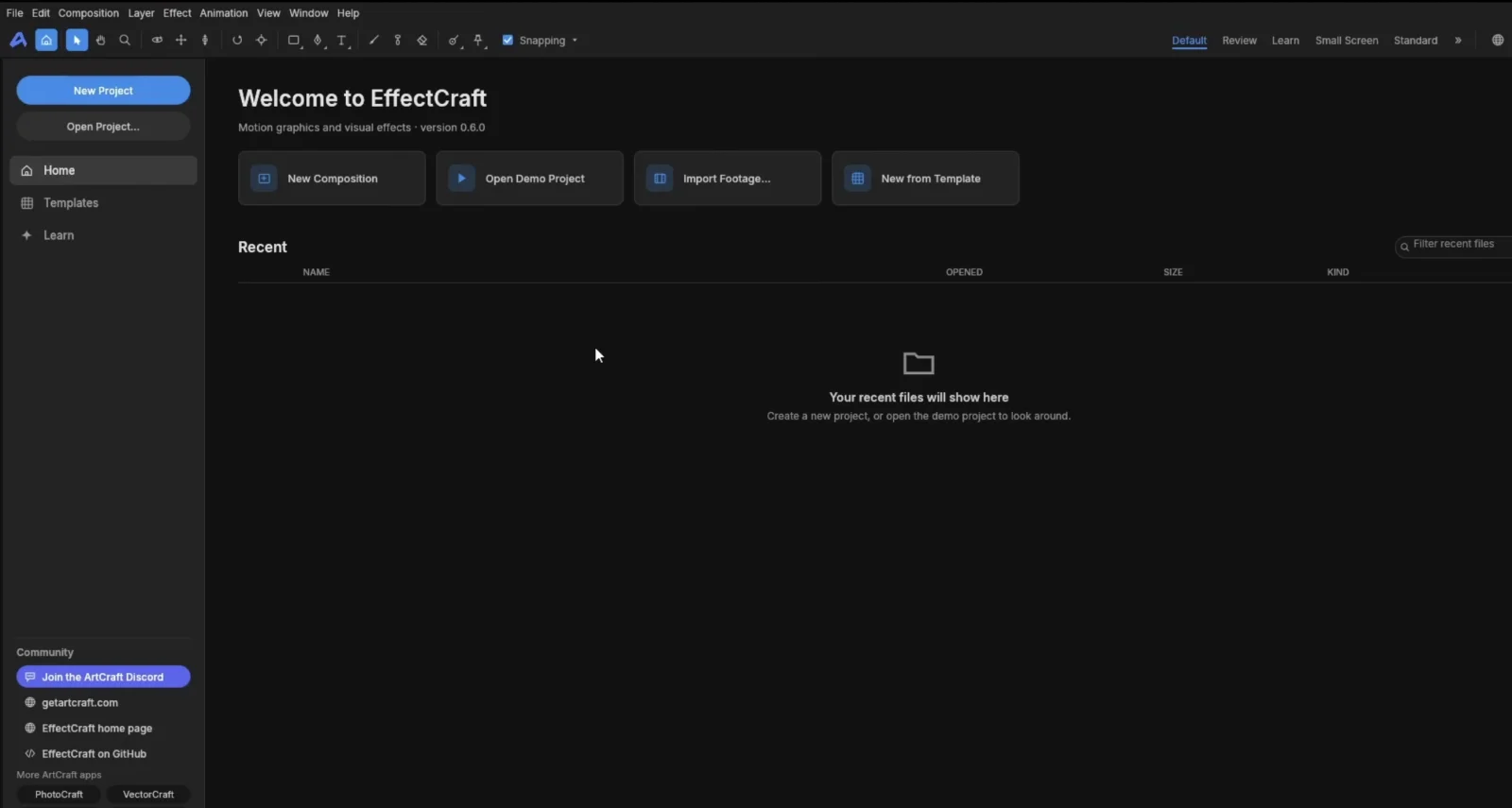
EffectCraft is a free, open-source alternative to Adobe After Effects for motion graphics, visual effects and 3D compositing. Written in Rust, it has desktop builds for Windows, macOS and Linux. It is alpha software: it cannot open After Effects .aep, .aepx, .mogrt or .ffx files, and After Effects plug-ins do not run in it.
Ready to explore?
Start with the beginner tutorial →Independent guide · Not affiliated with ArtCraft or Adobe
01 / The overview
EffectCraft is a desktop application for arranging visual elements over time and rendering the result. A composition can contain text, shapes, footage and other compositions. Each element sits on a layer. You animate properties with keyframes, apply effects, add 3D cameras and lights, and export through a render queue.
The project repository ↗ describes it as a clean-room reimplementation of After Effects, written in Rust and released under a choice of MIT or Apache-2.0. Version 0.8.0 was published on 11 October 2026 ↗. The maintainers describe the project as alpha.
EffectCraft is one of twelve free Crafting Apps listed on the ArtCraft apps page ↗. The separate ArtCraft AI studio is a different product.
02 / Installation
Choose a build for your operating system and processor.
The official product page offers the ArtCraft Launcher, which manages several Crafting Apps, and standalone EffectCraft downloads. Pick a file that matches your system and processor:
| Your system | What to look for |
|---|---|
| Windows x64 | Standalone installer or portable build |
| Windows ARM64 | ARM64 installer or portable build |
| macOS | Universal build for Apple silicon and Intel |
| Linux | Flatpak, AppImage, .deb or .rpm for your processor |
| Several Crafting Apps | ArtCraft Launcher |
Start at the official EffectCraft page ↗, or use GitHub releases ↗ for the full file list and release notes. The project publishes SHA256SUMS.txt with checksums for its release files. This site does not host installers. For platform-specific instructions, see the download and installation guide.
03 / Interchange
Existing AE projects and templates need special attention.
No. The project's known-gaps document ↗ lists these interchange limits:
| What you have | What carries over? |
|---|---|
| .aep or .aepx project | Cannot be opened |
| .mogrt template | Cannot be imported |
| .ffx effect preset | Cannot be imported; EffectCraft uses .ecpreset |
| After Effects plug-in | Cannot run in EffectCraft |
| Expressions and scripts | Related capabilities exist; test your specific code |
| Rendered footage, images and audio | Import as source media into a new composition |
EffectCraft saves its own projects as versioned JSON files with the .ecproj extension, according to the official repository ↗. Reusable source media does not make an AE composition editable in EffectCraft. Budget time to rebuild and check text, timing, effects and output. See EffectCraft vs After Effects for a fuller comparison.
04 / The toolset
Available tools are a starting point for testing your own work.
Text and shape layers, footage, and nested compositions.
Keyframes, expressions, and effects across a timeline.
3D cameras and lights for layered visual work.
A render queue and built-in Lottie import and export.
The project's documentation describes text and shape layers, footage, nested compositions, keyframe animation, expressions, effects, cameras and lights, tracking, a render queue, and built-in Lottie import and export.
In its gap assessment ↗, the project estimates feature breadth at about 91% when compared with After Effects 2026 (26.5). That figure asks whether features exist. The maintainers separately estimate readiness for professional replacement at about 45%, and say most behavior has not been compared with After Effects output. These are project estimates, not independent test results.
Use the feature list to find tools to try. If you are weighing an After Effects alternative for motion graphics, create a short sample with your own footage, effects and export settings, then save, reopen and inspect the result.
05 / Know the limits
Beyond the file and plug-in limits above, the published gap list ↗ flags limited output fidelity measurements, a smaller native preset collection, and color-management work still in progress. The maintainers also report more unresolved basic interaction issues outside macOS. These gaps matter when a project has strict visual requirements or a deadline.
06 / Platforms
Yes. The project publishes desktop builds for all three. A browser build is also available as a file to host yourself; that does not imply a hosted online editor. For a first project, the desktop build is the clearer starting point.
The maintainers say macOS is the most tested platform. On any system, test the effects, footage and export format your project needs before committing to a delivery date.
07 / Find your fit
New title, short animation or motion experiment
Build a small original composition; save, reopen and inspect an export.
Existing AE projects, templates or plug-ins are essential
Keep those files in your current workflow. EffectCraft cannot open or run them.
Client deadline or strict technical requirements
Test the exact effects, footage, output format and machine first.
You want a free option and can start from scratch
Try one small piece and judge it by your own output.
This table is our interpretation of the project's published capabilities and gaps. It is not a hands-on benchmark or a guarantee for a particular machine.
08 / The family
The official apps page ↗ lists twelve: PhotoCraft, VectorCraft, FilmCraft, LightCraft, PdfCraft, EffectCraft, DesignCraft, WordCraft, SoundCraft, DeckCraft, CADCraft and GridCraft. Each app has its own product page and installers. This site currently has detailed guides for EffectCraft only.
09 / Common questions
Yes. The project describes it as free, open-source software under MIT or Apache-2.0. The separate ArtCraft AI studio has its own offering.
No. .aep and .aepx projects cannot be opened. .mogrt templates and .ffx presets cannot be imported either.
No. After Effects plug-ins do not run in EffectCraft. Check whether its built-in effects can serve your particular project.
Yes. Desktop builds are published for all three systems. Choose a package that matches your processor.
Check the official EffectCraft page ↗ or GitHub releases ↗. Use the official pages to see which version is available.
No. This is an independent information site. The project's website is on getartcraft.com, and its source and releases are in the storytold/effectcraft repository.
10 / Continue